The Dark Mode Lifestyle
I like to make things as dark as possible/practical on all my screens. Maybe it saves battery, maybe it lengthens display lifetimes, maybe it’s better for my eyes (or maybe it’s not). Regardless, I find dark themes to be much easier on my eyes and look very aesthetically appealing.
I suppose this website isn’t very dark theme though. I’ll have to work on that in the future.
Firefox Extension

Dark Reader is probably most people’s first dip into the dark mode lifestyle and makes browsing the web a vastly pleasant experience (on par with wide-spectrum content blockers). Most of the internet (especially by default) is a bright white mess but Dark Reader is able to mellow everything out into a nice cohesive look.
I’ll be the first to admit that it doesn’t work perfectly on all pages, but most per-site settings can be tweaked a little to make certain elements more legible and if worse comes to worst, you can also disable per-site as well.
This was honestly my gateway to the Dark Mode Lifestyle.
Firefox CSS


Firefox themes can only really change the look of the top of your browser, they can’t edit the background color of panels (like the built-in PDF reader, or the letterboxed sides of windows in Librewolf).
However for advanced users, Firefox’s userChrome.css lets you edit every little detail of the browser using CSS. Use the Browser Toolbox to find out what each element is called and inspect what properties they have, or ask for help on the r/FirefoxCSS subreddit. I’m not certain what the differences between userChrome.css and userContent.css are, but both are required to edit every detail.
I made Sskki’s Amoled_Firefox_CSS theme that turns almost everything black and white. This includes the new tab page, the PDF reader and preferences page and other browser protected pages. It’s quite beautiful and makes letterboxing look much easier on the eyes.
Xfwm4 Theme

Back when I used to use Linux Mint Xfce as my daily driver, the darkest xfwm4 theme I could find was Deevad’s Darkcompact_xfwm4-theme which used #666666 for its borders. Not dark enough. So I made Sskki’s Darkercompact_xfwm4-theme, which uses #000000 for the borders. Much better.
Discord Theme
First of all, I’m using an alternative front-end to Discord called Vesktop, which allows you to use custom themes. The built-in Discord dark mode uses what they call “not quite black” (for some reason, they removed the full color palette from their branding page). Like it says on the tin, it’s not quite black. That’s simply not dark enough for my sensitive eyes.
AMOLED-CORD is a beautiful theme that elegantly recolors dark mode just a tad bit darker. The blacks are actually black.
Obsidian Theme

While I loved the dark colors of SakuraIsayeki’s Vanilla AMOLED Theme, I wanted the headings to have differentiated colors like the ones in Insanum’s Obsidian Nord Theme.
That’s why I combined them into Sskki’s Vanilla AMOLED Color Theme.
VS Code Theme
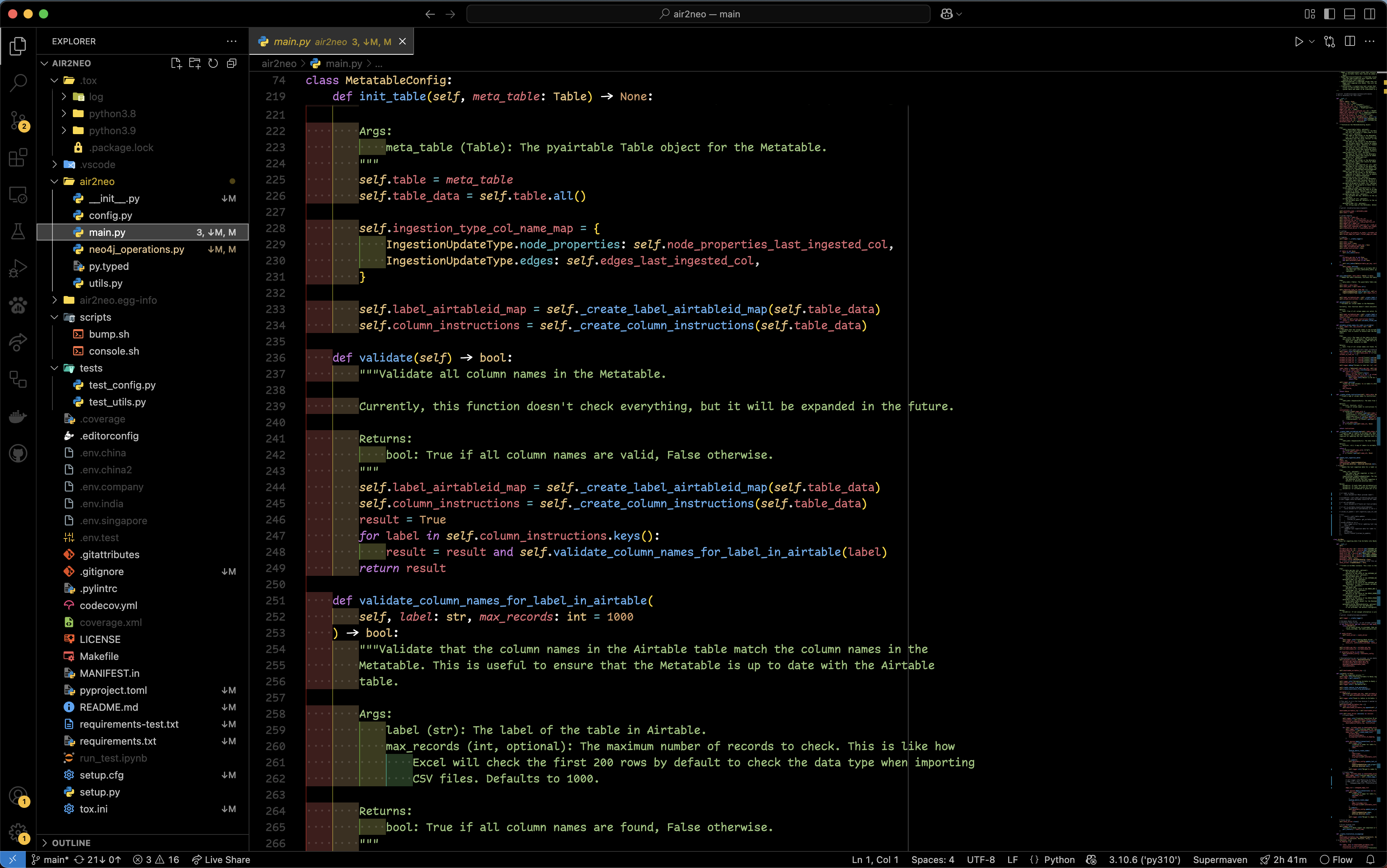
Leetdavid’s BLK Theme is simply gorgeous, no notes. I’m using the borderless variant for now, but we’ll see whether I switch to bordered or not. Also note that I’m using VSCodium, an open source alternative to Visual Studio Code.